Can I generate a normal map from an image?
Yes. The Image to PBR workflow is designed to generate normal, roughness, height, metalness, and basecolor maps from a texture image.
Upload a texture or surface photo and use AI to generate Normal, Roughness, Height, Metalness, and Basecolor maps for a complete PBR workflow.
Best input
Raw material color, free of baked lighting. Maps to Albedo in all major engines.
Unreal: Base Color · Unity: Albedo · Blender: Color
Photos often contain baked shadows and highlights.
Extract a cleaner basecolor for lighting inside the 3D scene.
Roughness, metalness, and surface depth are slow to infer by hand.
Generate and inspect five material channels from one source image.
Strong perspective and reflections can weaken extracted maps.
Start with a cropped, front-facing surface and inspect every channel.
Start with a source image, then inspect every generated map as part of one material stack.
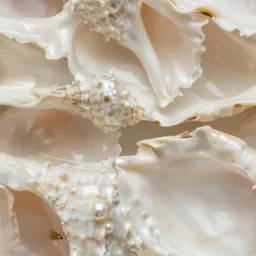
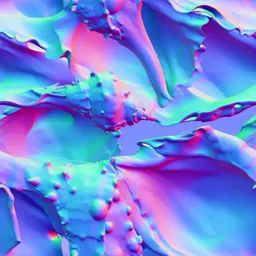
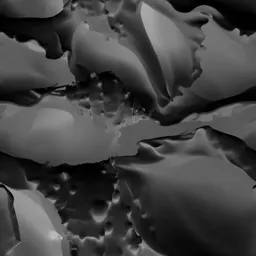

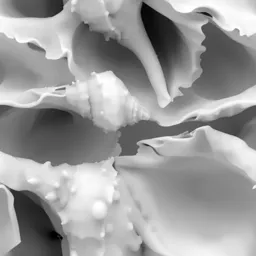
Best input: Cropped, front-facing surfaces with limited perspective distortion
Start with a texture image, surface photo, or scanned material reference.
Select the maps needed for your material workflow.
Use AI to infer surface detail and material response.
Inspect the generated map set and continue to upscale if needed.
Image to PBR is strongest when you already have a surface reference and need a usable material map set.
Use front-facing photos, scanned surfaces, or existing diffuse textures as the source for a map set.
Open in StudioReview basecolor, normal, roughness, height, and metalness together so one weak map does not break the material.
Open in StudioContinue to texture upscaling or material generation when the source needs more resolution or stronger art direction.
Open Texture UpscalerTurn a prompt or reference into a repeatable base texture before building maps.
Create a coordinated base texture and five-map material set from one surface description.
Increase detail 2x or 4x while checking that tile boundaries stay aligned.
Yes. The Image to PBR workflow is designed to generate normal, roughness, height, metalness, and basecolor maps from a texture image.
Image to PBR means using an existing image or surface photo as the source for a physically based material map set.
A photo can become a useful material source, especially when it is front-facing and cropped. Seamless tiling can still require a dedicated texture workflow.
De-lighting reduces baked shadows and highlights so the basecolor map behaves better under scene lighting.
The target map set includes basecolor, normal, roughness, metalness, and height maps.
Yes. Paid-tier maps generated from your images are intended for commercial games, films, ArchViz renderings, and merchandise without royalties.
Upload a texture or surface photo, generate maps, then preview the material in Studio.