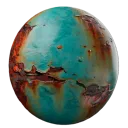
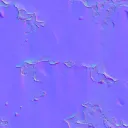
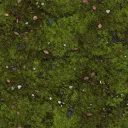
Can AI-generated textures be seamless?
Yes. The texture generator is designed to create tileable output where both horizontal and vertical edges can repeat.
Turn prompts and reference images into tileable textures for games, 3D scenes, products, and design workflows.
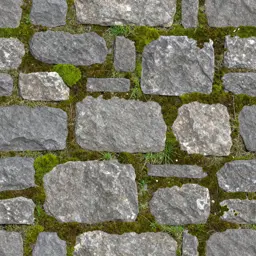
Single tile
Offset and clone-stamp cleanup takes repeated manual work.
Generate cross-edge tileable structure from a prompt.
Mirror and feather methods often create obvious symmetry.
Preview a more natural repeat grid before export.
A convincing single tile can still fail across a large surface.
Inspect scale, seams, and repetition in the same workflow.
Use AI Texture Generator when you need a clean tileable base map before building a full material.
Enter material, color, style, and use case details.
Choose style, resolution, tiling direction, and output count in Studio.
Check the repeated grid or 3D preview before exporting.
Download the texture or continue into full PBR map generation.
Use AI Texture Generator when you need a clean tileable base map before building a full material.
Start with surfaces that repeat naturally: brick, stone, wood, fabric, concrete, terrain, or stylized patterns.
Open in StudioPreview the texture as a grid so edge seams, repeated patches, and scale issues appear before export.
Open in StudioMove the tile into AI Material or Image to PBR when you need normal, roughness, height, and metalness maps.
Create Full PBR MaterialCreate a coordinated base texture and five-map material set from one surface description.
Turn a texture or surface image into Base Color, Normal, Roughness, Metalness, and Height maps.
Increase detail 2x or 4x while checking that tile boundaries stay aligned.
Yes. The texture generator is designed to create tileable output where both horizontal and vertical edges can repeat.
A texture is usually a single surface image. A material includes that texture plus PBR maps such as normal, roughness, height, and metalness.
Yes. The generated textures are intended for Blender, Unreal Engine, Unity, Godot, and similar tools.
You can start from common material prompts such as wood, stone, brick, fabric, concrete, metal, grass, and marble.
You can start from text. Reference-image workflows are handled inside the Studio.
Yes. Paid-tier generated textures are intended for commercial games, films, ArchViz renderings, and merchandise without royalties.
Start from a prompt, preview the tile, and continue to PBR maps when ready.